
Process documentation is the practice of writing down how work gets done in your company - the steps, the people involved, the tools used and the standards expected. It turns knowledge that lives in people's heads into something the whole team can use.
Most teams know they should document processes. Most also have a folder of half-finished documents to prove they tried. This guide focuses on doing it in a way that sticks.
Why process documentation matters
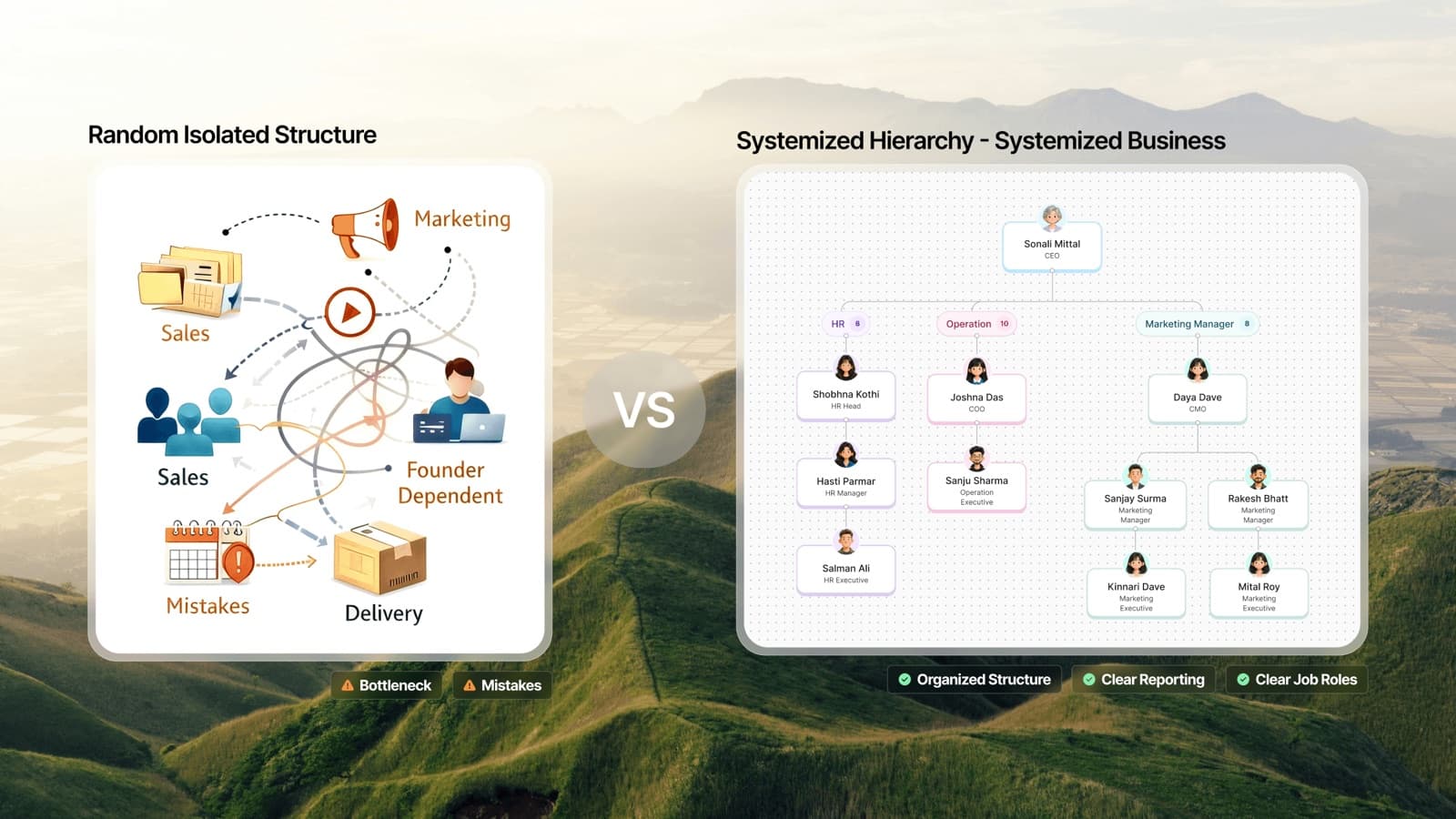
- Less dependence on individuals. When the one person who knows how to run payroll goes on leave, the business doesn't stop.
- Faster onboarding. New hires learn from documentation instead of interrupting colleagues.
- Consistent quality. Customers get the same experience regardless of who serves them.
- Easier improvement. You can't improve a process nobody can see.
- Delegation. Leaders can hand off work confidently when the how is written down. See how to delegate without losing quality.
- Business value. A company that runs on documented systems is easier to scale - and more attractive to investors or buyers.
What to document first
Don't start with a company-wide documentation drive. Start with a shortlist based on pain:
- Processes that break when one person is away.
- Processes where mistakes are expensive - money, safety, compliance, customers.
- Processes every new hire in a role must learn.
- Processes you're asked about repeatedly.
Write each candidate on a list, score it against those four questions, and document the top five. Then the next five.
Choose the right format
Different kinds of process knowledge need different formats:
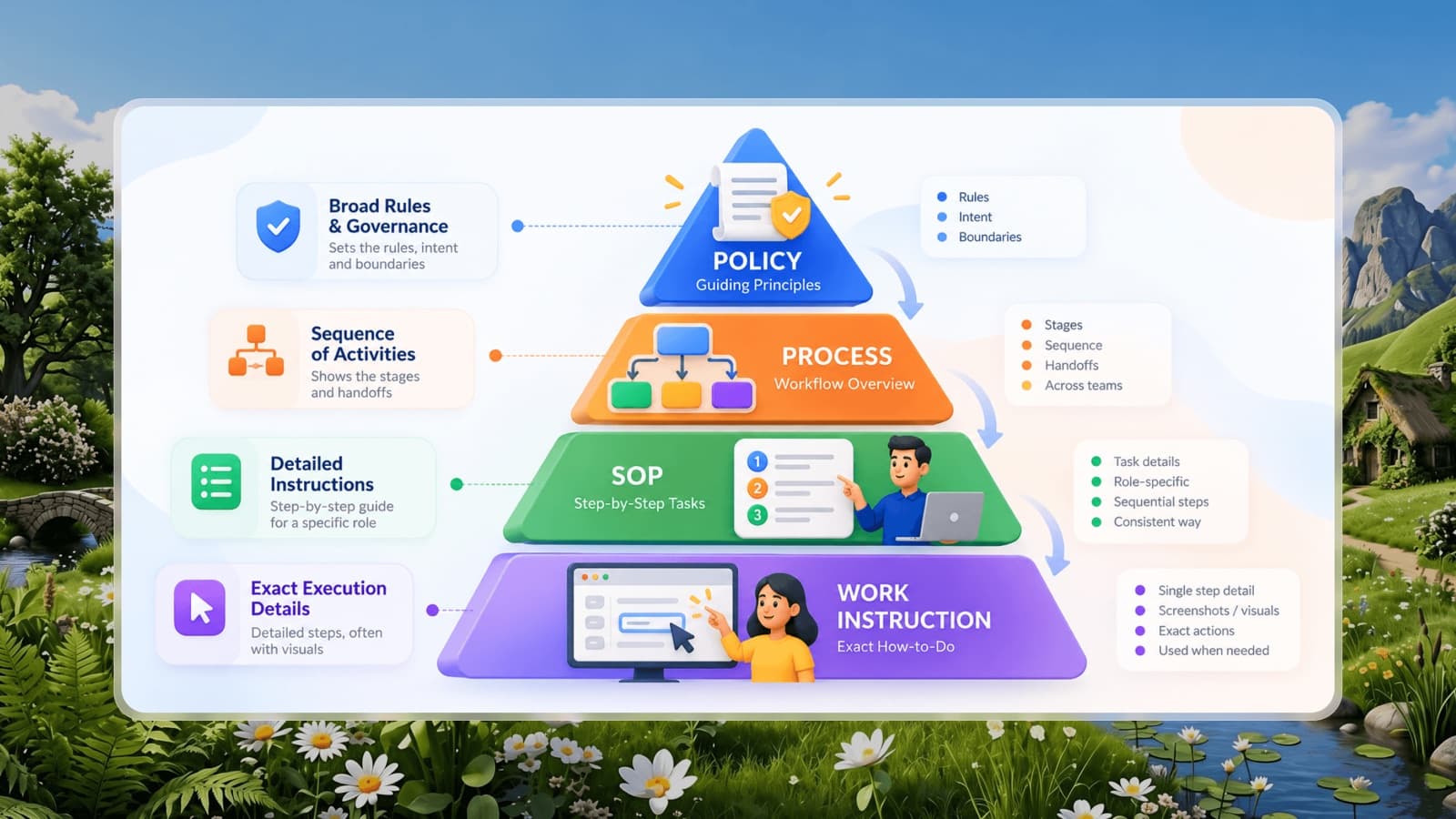
Most processes use two: a high-level process map, and SOPs for the individual tasks within it.
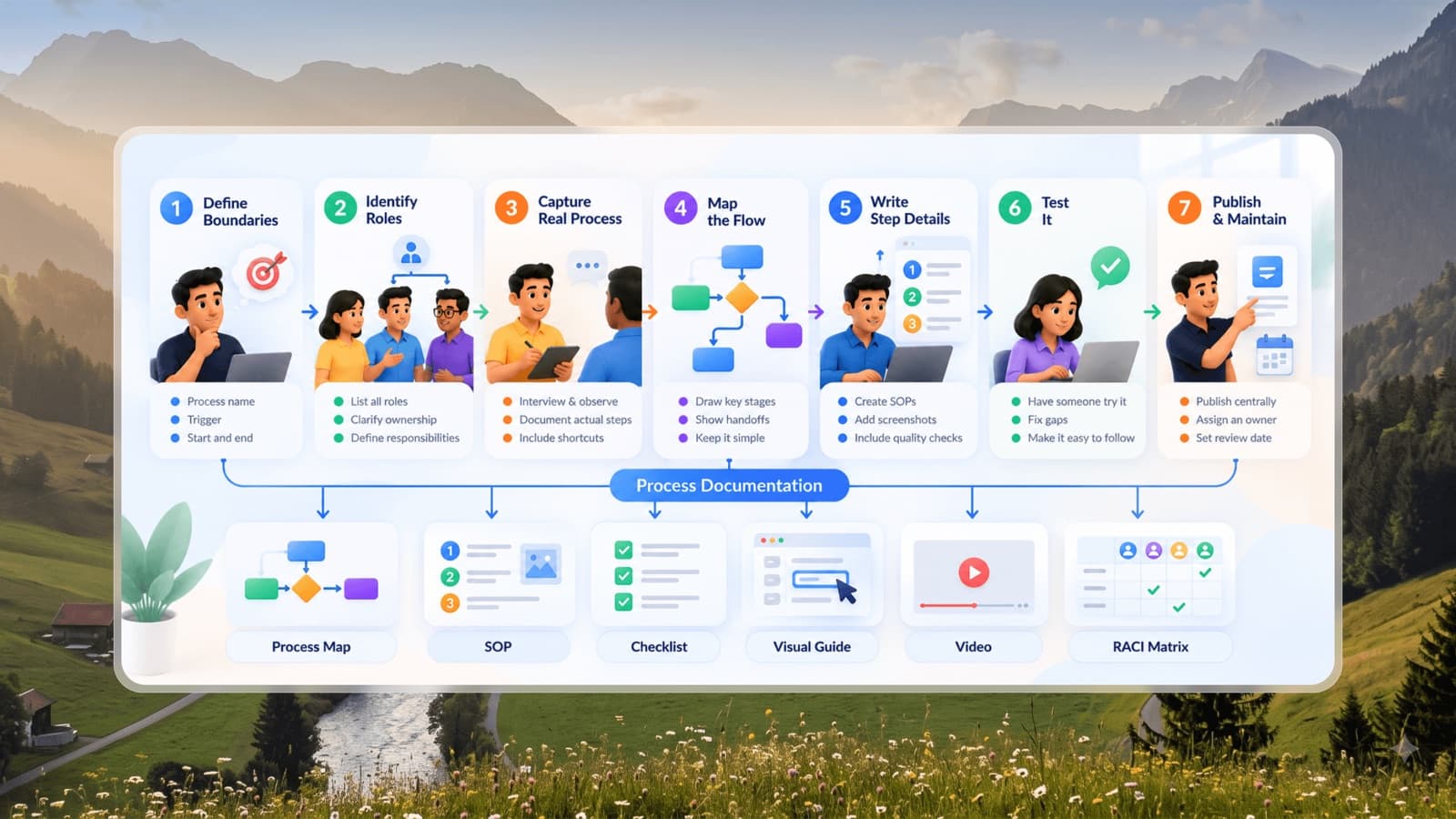
How to document a process: 7 steps
1. Define the boundaries
Name the process, what triggers it, and what "done" looks like. "Customer onboarding starts when the contract is signed and ends when the customer completes their first successful order."
2. Identify the roles involved
List every role that touches the process, and consider a RACI matrix if ownership is unclear.
3. Capture the real process
Interview and observe the people doing the work. Document what actually happens, including shortcuts people use, not what the old manual says should happen.
4. Map the flow
Draw the high-level stages and handoffs. Handoffs between roles are where most delays and errors live, so mark them clearly.
5. Write the task-level detail
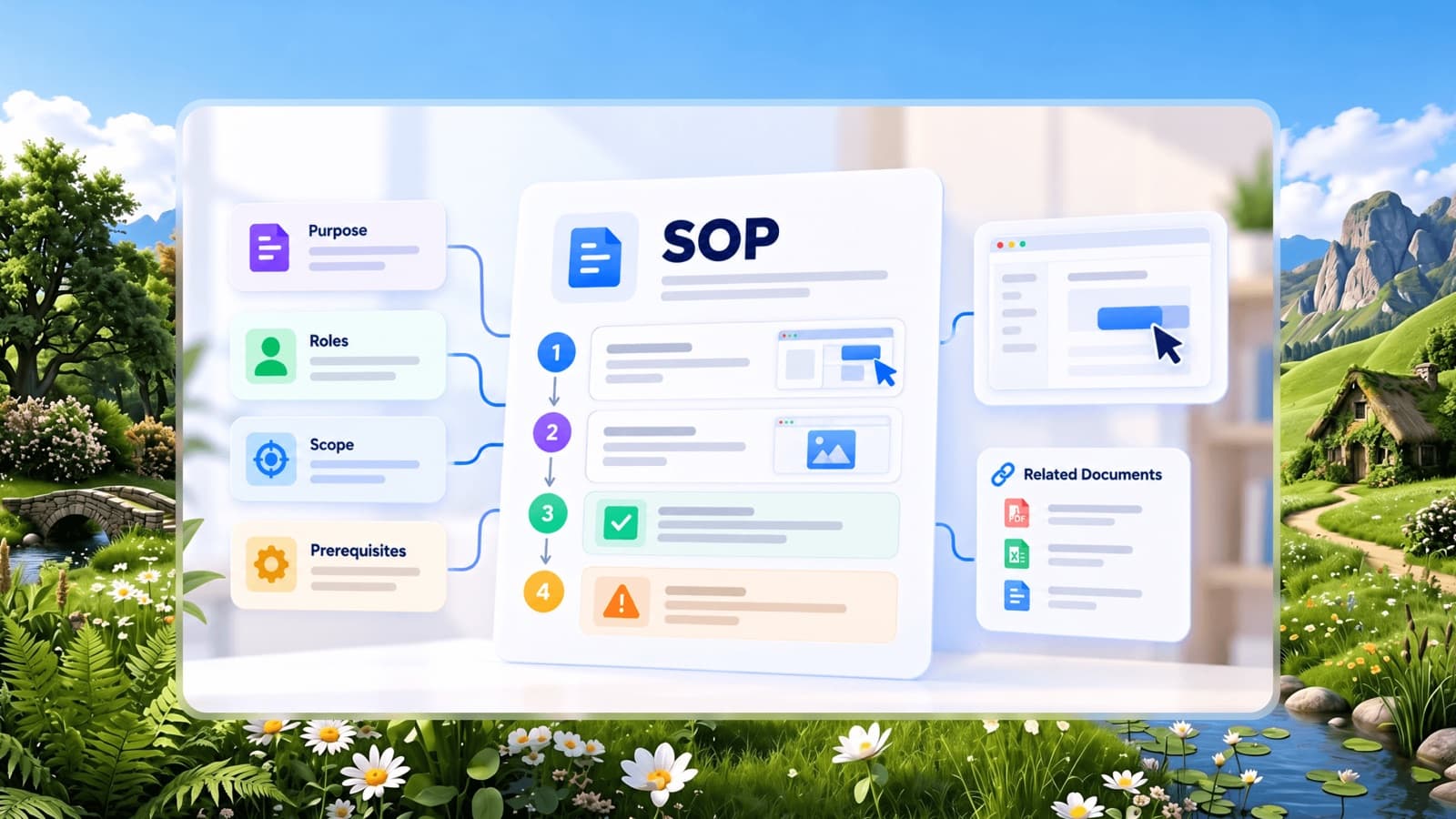
For each key task in the flow, create an SOP or checklist with steps, screenshots and quality checks.
6. Test it
Have someone unfamiliar with the process follow the documentation. Fix every point where they get stuck.
7. Publish, assign an owner and set a review date
Store documentation centrally, grouped by department and role, where people will actually look. Name one owner for each process.
Keeping documentation alive
Documentation usually fails for the same few reasons. Build habits that prevent them:
- Owner per process. Nobody owns "the wiki". Someone owns "the returns process".
- Change the doc when you change the process. Make it part of the definition of done for any process change.
- Scheduled reviews. Quarterly for high-change processes, yearly for stable ones.
- Feedback loop. Let anyone flag a step that's wrong or unclear, directly on the document.
- Measure usage. Documents nobody opens are either unnecessary or impossible to find.
Common mistakes
- Documenting everything at once. You'll run out of energy before anything is useful.
- Writing for auditors, not users. Long formal language makes documents unreadable.
- Storing documents in personal drives or chat threads. If it can't be found, it doesn't exist.
- No visuals. A screenshot saves a paragraph and a phone call.
- Documentation as a project, not a habit. A one-off push produces a snapshot that's out of date within months.
Start small this week
Pick the one process that causes you the most repeated questions. Sit with the person who does it best for 30 minutes, capture the steps with screenshots, and have someone else test it. That one document will start saving time straight away.